

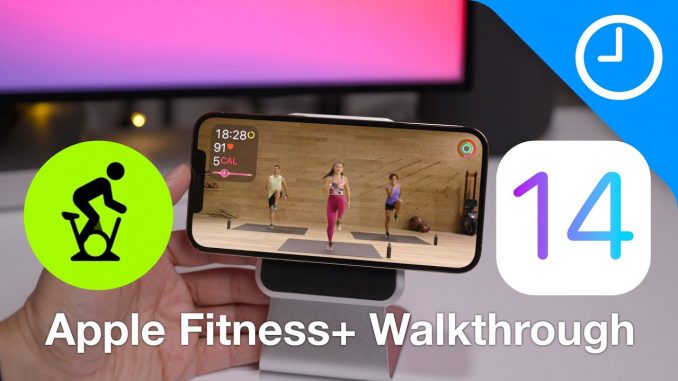
The final version of iOS 14.3 is here along with the launch of Apple Fitness+. Here's a full walkthrough of Apple's fitness service. Is this a true Peloton competitor?
→ SUBSCRIBE FOR MORE VIDEOS:
DETAILED VIDEO SYNOPSIS:
—————————————————-
A walkthrough of the Apple Fitness+ user interface, including a look at the workouts, instructors, and overall interface. We also show you how to download workouts, enabled/disable captions, on screen metrics, and more. What do you think about Apple Fitness+? Is it worth $9.99 a month in your opinion?
RELATED LINKS:
—————————————————-
Visit for more
ACKNOWLEDGEMENTS:
—————————————————–
FTC: We use income earning auto affiliate links:
FCPX plugins by MotionVFX:
Music by Soundstripe:
Add captions to your videos with Rev, get $10 off now:
SUBSCRIBE FOR MORE VIDEOS:
—————————————————-
By clicking subscribe, you'll be able to see our new videos when they go live. If you click the bell icon, you'll be notified when new videos are uploaded. Also, don't forget to click the 'LIKE' button in order to vouch for the quality of the video. This helps expose our content to other potential viewers helping us to grow the channel and thus lets us produce more videos. Thank you very much for taking the time out of your day to watch.
GEAR I USE TO MAKE VIDEOS:
—————————————————–
Computer: iMac (2019):
Camera: Canon EOS-R:
Lens: EF 24-70mm f/2.8L II USM Lens:
Audio interface: Sound Devices MixPre-3 II:
Microphone: Shure SM7B:
PODCASTS:
—————————————————–
Happy Hour:
Daily:
Watch Time:
Stacktrace:
Apple @ Work:
FOLLOW:
—————————————————–
TIMESTAMPS:
—————————————————-
0:00 Introduction
HASHTAGS:
—————————————————–
#fitnessplus #applefitness #iPhone



2nd comment
Love your videos continue the good work
At 11:33 when I say Apple “dinged” — I meant demonetized. This was probably nothing malicious on Apple’s part. They probably just don’t want all of their well-produced content ripped and put on someone’s YouTube channel en masse, so it’s understandable.
That was fast
Can you make a poll to find out if people are still having the notification and missing messages issue in this update? Currently still having this problem and it also applies to Instagram where I don’t see any notifications at all.
They give you guys exclusive info but they won’t let you show something that’s available to the public? I don’t get it
Odd that it’s not available for macs though?
Nope.
yeah pretty wired decision specially now that we have Catalyst apps, and iOS apps in M1 macs
Why should be on your Mac? Do you have an iPhone and you have an iPad. Wilsee much more portable to take where ever you decide to go and do the exercises. You’re going to take your iMac or laptop out to the park to exercise how are you?
@Blair Slavin well first why not? most of them apps are in all of their platforms, and what if the only computer you have is a 27 inch iMac, and an iPhone, if prefer the bigger screen of the iMac, yes its no most of people but it should be there, it doesn’t even takes them any time they literally just have to click a button, (at least for M1 Macs), and also its in the iPad, if you use it wiht the magic keyboard its basically a laptop, so why no the MacBooks
charge your phone, please.
phone stand link pls
looks like one of these- https://www.amazon.com/BASYNOL-Aluminum-Magnetic-Compatible-Charging/dp/B08PCRV8B9/ref=sr_1_1_sspa?dchild=1&keywords=magsafe+stand&qid=1608005740&sr=8-1-spons&psc=1&spLa=ZW5jcnlwdGVkUXVhbGlmaWVyPUFXWU5JWUE1RjlSV00mZW5jcnlwdGVkSWQ9QTA0MTAwNjhDTDlVS0dNQlNaUlomZW5jcnlwdGVkQWRJZD1BMDY3NDQ0MzIxVkUwR1dMUERKRU8md2lkZ2V0TmFtZT1zcF9hdGYmYWN0aW9uPWNsaWNrUmVkaXJlY3QmZG9Ob3RMb2dDbGljaz10cnVl
So, are we not going to mention that awesome looking wallpaper? Where can I find that wallpaper?
@MooNLX3 is that an app to get the wallpaper? Thanks in advance
Google that: “iOS 8 wallpapers” and you will find that wallpaper.
Founded?
Giorgio Cantoni yes of course.
@Renato Stefanoaica where? Could you post the link in max resolution? Thank you
What stand is that?
Hey im in India so do you think it will be coming in India anytime soon?
Battery life makes me nervous
Is that a MagSafe stand for the iPhone? If so, what’s the name of it & where can I get it?
Where did you get the phone stand.
What’s the name of the stand you’re using?
I think this is the one: https://www.youtube.com/watch?v=gnP8_nY4x4o
What is your phone brightness at?
Is any idea where is going to work in other countries
What’s the stand you used on the iPhone ? And is it magnetic?
What wallpaper are you using?
Does the Apple Watch SE including three months of fitness
Any Apple Watch will work. And if you buy a brand new watch, you get three months of Apple fitness for free.
@Blair Slavin how do I claim
Wait. Why don’t we get to see you sweat and exercise and demo it? That seems much more real world review.