

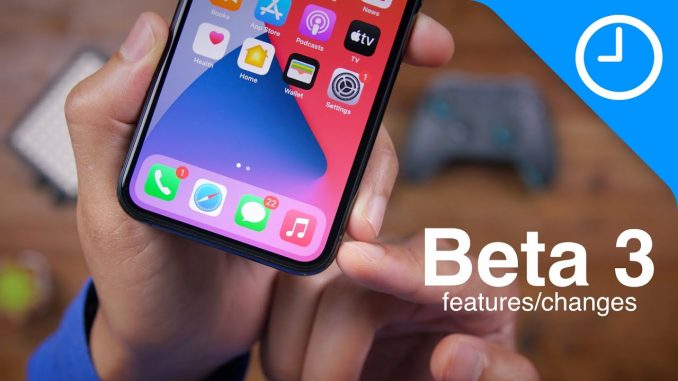
Hands-on with iOS 14 beta 3 top changes and features!
→ SUBSCRIBE FOR MORE VIDEOS:
DETAILED VIDEO SYNOPSIS:
—————————————————-
iOS 14 beta 3 is packed with lots of changes for the iPhone and iPad (iPadOS 14 beta 3). Some changes are relatively noteworthy, and some quite subtle. Watch our hands-on walkthrough as we step through the changes with commentary.
RELATED LINKS:
—————————————————-
Visit for more
ACKNOWLEDGEMENTS:
—————————————————–
FTC: We use income earning auto affiliate links:
FCPX plugins by MotionVFX:
Music by Soundstripe:
Add captions to your videos with Rev, get $10 off now:
SUBSCRIBE FOR MORE VIDEOS:
—————————————————-
By clicking subscribe, you'll be able to see our new videos when they go live. If you click the bell icon, you'll be notified when new videos are uploaded. Also, don't forget to click the 'LIKE' button in order to vouch for the quality of the video. This helps expose our content to other potential viewers helping us to grow the channel and thus lets us produce more videos. Thank you very much for taking the time out of your day to watch.
GEAR I USE TO MAKE VIDEOS:
—————————————————–
Computer: 16-inch MacBook Pro (2019):
Camera: Canon EOS-R:
Lens: EF 24-70mm f/2.8L II USM Lens:
Audio interface: Sound Devices MixPre-3 II:
Microphone: Shure SM7B:
PODCASTS:
—————————————————–
Happy Hour:
Daily:
Watch Time:
Stacktrace:
Apple @ Work:
FOLLOW:
—————————————————–
TIMESTAMPS:
—————————————————-
0:00 Introduction
0:13 Edit Home screen explainer pop-up
0:57 App Library explainer pop-up
1:24 Widgets explainer pop-up
1:53 Lower page dot position
2:09 Updated Music app icon
2:22 Updated Music widget background
2:34 New Music Library menu glyphs
2:46 More sanctioned off legacy widget area
3:25 Smart Stack now has large size option
3:39 Share Music to Snapchat stories
3:52 New Memoji face covering
4:16 New Clock widget
5:02 Delete saved colors in markup
5:09 Easier to move apps from App Library list to Home screen
5:17 "Other" storage bug fixed
5:25 New Shazam Shortcut action animation
5:41 Apple Music remembers where you left off
6:14 Display Zoom update further hints at 5.4-inch iPhone 12
7:11 Drag and drop songs into playlists in Music on iPad
7:28 VP9 decoding in Safari experimental settings
7:55 Location-based hand-washing reminders
8:01 Health shows number of washes
HASHTAGS:
—————————————————–
#iOS14 #iOS14beta #iPhone

I noticed no one has talked about this. In messages if you go back further than messages you have the option to either see unknown senders all messages and known senders. Just wanted to let you know.
It’s also present on watchOS 7
Always have the best feature videos !!
Thank youuu
5:50 lol I wanted this feature so much
E
It took them quite a while but we finally have it.
Thank God they updated the apple music. Was frustrating when my last played music just disappeared
Fr!!
Music icon reminds me of my iPhone 4 with iOS 7.
I really like this type of videos! Thanks.
I like the new Apple Music app color. Looks great to have a splash of color. I also love the new clock widget but the single clock loses time. Within an hour it’s already behind. I deleted it and tried a few times to add it but it kept losing time. Loving all the iOS 14 changes. Thanks for another great video!
Same with the world clock for me, they seem to be lagging behind
The “App Library” and access function so sloppy.
I liked the old Apple Music icon better. Plus still a lot of bugs that need to be fixed, but battery life and performance have definitely improved
5:41 it’s about time you did this Apple. Hope this also stops the playing the first song alphabetically when I plug into my radio after not playing the Music app for awhile. I’m tired of hearing Abacab from Genesis.
Damn, ios greets you in the morning? How kind of it!
Who else watching this on iOS 14
Me
IPadOS 14
Me
We strongly need those signal dot’s •••• back!
The clock widget is totally unusible. It is 9:05 but the widget is showing me 8:59 the last time when I lock the phone.
Same here, it is not working properly
1:51 when using VoiceOver in iOS 13 and iOS 14 it speaks it as “Edit mode” So what it is officially called then?
Didn’t anyone notice that they removed 3D Touch altogether in this beta?