

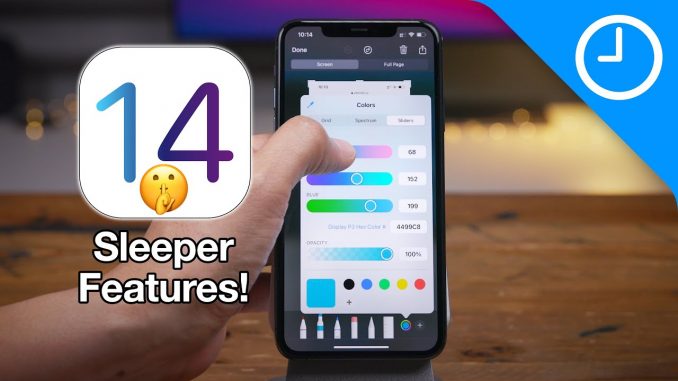
A look at some of the iOS 14 under-the-radar hidden sleeper features.
→ SUBSCRIBE FOR MORE VIDEOS:
DETAILED VIDEO SYNOPSIS:
—————————————————-
In this video we breakdown 10 of my favorite low-key sleeper features found in iOS 14. These are features that add value to the iOS experience, but don't necessarily standout like flagship iOS 14 features do.
RELATED LINKS:
—————————————————-
Video – Best iOS 14 Features:
Video – Top 250+ iOS 14 features:
Visit for more
ACKNOWLEDGEMENTS:
—————————————————–
FTC: We use income earning auto affiliate links:
FCPX plugins by MotionVFX:
Music by Soundstripe:
Add captions to your videos with Rev, get $10 off now:
SUBSCRIBE FOR MORE VIDEOS:
—————————————————-
By clicking subscribe, you'll be able to see our new videos when they go live. If you click the bell icon, you'll be notified when new videos are uploaded. Also, don't forget to click the 'LIKE' button in order to vouch for the quality of the video. This helps expose our content to other potential viewers helping us to grow the channel and thus lets us produce more videos. Thank you very much for taking the time out of your day to watch.
GEAR I USE TO MAKE VIDEOS:
—————————————————–
Computer: 16-inch MacBook Pro (2019):
Camera: Canon EOS-R:
Lens: EF 24-70mm f/2.8L II USM Lens:
Audio interface: Sound Devices MixPre-3 II:
Microphone: Shure SM7B:
PODCASTS:
—————————————————–
Happy Hour:
Daily:
Watch Time:
Stacktrace:
Apple @ Work:
FOLLOW:
—————————————————–
TIMESTAMPS:
—————————————————-
0:00 Introduction
0:12 More powerful markup tool
2:41 Back tap
4:48 Mirrored selfies
6:00 Quick styles in Notes
7:08 Carrier lock info
7:45 Private Wi-Fi address
8:32 Spotlight quick launcher
9:03 Limit Photo library access
10:49 Enhanced back button
11:31 Safari translation
HASHTAGS:
—————————————————–
#iOS14 #iOS #iPhone


Love these features that we totally sleep on and it’s amazing. Some of us never thought of any of these
I was really hyped for back tap, but the way I set my phone down always triggered it. Even the 3 tap option, so I ended up turning it off. Bummer
So true
Yeah it’s really sensitive
Someone tell apple through the feedback on IOS 14 to add a blur colour tool with screenshots.
Is it just me or the back tap is super sensitive? I put the phone on the table and it takes a screenshot. Lol
??? In Safari I tapped on the top left but the dropdown showed no “translate to English” as seen at 11:42
I have the same problem. It might depend on which iPhone you have. I’m on iPhone X
The way he said „on“ and „off“ was strange. Especially the „ohwn“ one.
The mirror selfie demo would’ve been better if you took a picture of text.
This function is not in iPhone X, or am I missing a step?
All features love it thank you very much
Much more (very useful) features than expected. Can’t wait to start seriously productive working.
I personally think the best iOS 14 feature is being able to rename bluetooth devices
Omg finally a Youtuber figured out the markup feature because i figured out on the first day of ios 14 being released
When you realise that MacMagazine it’s on your native language and you don’t need to translate that.
These are great features! Thanks for reviewing them.
Wow, thanks. This let me know that despite buying my phone in full and switching from Verizon to Visible, my pho e still shows up as carrier locked.