

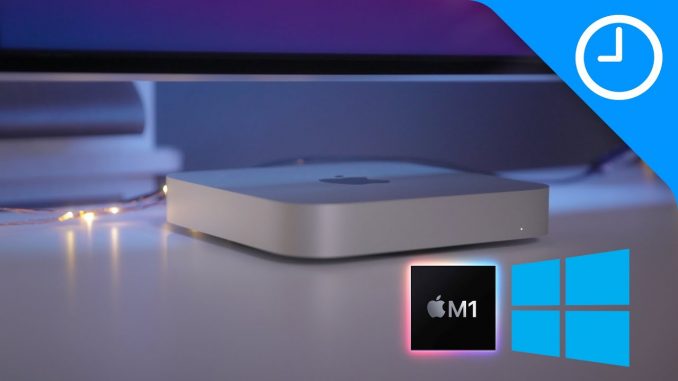
A tutorial that shows how to use Parallels 16 Technical Preview for M1 Macs to run the Windows Insider Preview ARM64.
→ SUBSCRIBE FOR MORE VIDEOS:
DETAILED VIDEO SYNOPSIS:
—————————————————-
This video walkthrough showcases how to run the Windows 10 Insider Preview for ARM64 using Parallels 16 Technical Preview for M1 Mac mini, M1 MacBook Air, and M1 MacBook Pro. Since Boot Camp doesn't work on the M1 Macs, this may prove to be useful for that one-off app that you need to run on Windows.
Keep in mind that this is just a preview, and should not be used for any sort of mission-critical work. This tutorial does allow you to run emulated x64 apps as long as you join the Windows Insider Preview dev channel and download the latest dev build. Keep in mind that Arm32 apps don't currently work. Tutorial is subject to change.
RELATED LINKS:
—————————————————-
Download Parallels 16 Technical Preview for M1 Macs:
Sign up to be a Windows Insider:
Download latest Windows 10 Insider Preview for ARM64:
M1 Mac mini:
M1 MacBook Pro:
M1 MacBook Air:
ACKNOWLEDGEMENTS:
—————————————————–
FTC: We use income earning auto affiliate links:
FCPX plugins by MotionVFX:
Music by Soundstripe:
Add captions to your videos with Rev, get $10 off now:
SUBSCRIBE FOR MORE VIDEOS:
—————————————————-
By clicking subscribe, you'll be able to see our new videos when they go live. If you click the bell icon, you'll be notified when new videos are uploaded. Also, don't forget to click the 'LIKE' button in order to vouch for the quality of the video. This helps expose our content to other potential viewers helping us to grow the channel and thus lets us produce more videos. Thank you very much for taking the time out of your day to watch.
GEAR I USE TO MAKE VIDEOS:
—————————————————–
Computer: iMac (2019):
Camera: Canon EOS-R:
Lens: EF 24-70mm f/2.8L II USM Lens:
Audio interface: Sound Devices MixPre-3 II:
Microphone: Shure SM7B:
PODCASTS:
—————————————————–
Happy Hour:
Daily:
Watch Time:
Stacktrace:
Apple @ Work:
FOLLOW:
—————————————————–
TIMESTAMPS:
—————————————————-
0:00 Introduction
1:05 Download required software
2:30 Install Parallels
3:14 Install Windows 10
3:49 Disable Time Sync
4:23 Enable the Windows Insider Program dev channel
5:26 Run Windows Update and download the latest dev build
7:09 Install and run your favorite apps!
HASHTAGS:
—————————————————–
#macbookair #macbookpro #macmini



Let’s goooo
Oh wow – didn’t even think this would be possible like this. Interesting.
Thank you for this video
Good to have this kind of informative video.
I went 4GB Ram and 4 cores and it’s pretty good
It’s surprisingly good. It’ll only get better. Def recommend allocating 4 cores. Not missing Boot Camp all that much, although this will get much better with the M2, M3, and so on!
I’m a huge fan of Mac mini’s and that’s all I’ve ever owned so it’s awesome that a mini is so powerful, debating on exchanging for a 16GB ram model though
This is great! Thank you for making this video
I’d like to run Windows and Linux so that’s why I am still holding off getting an M1 for now!
I also went into the settings and changed the CPU to 4 cores instead of 2. Anything over 4 doesn’t work
Jeff, Thanks for this video. I may install on my MBA. Love how snappy Win 10 arm is running on your M1 MAC
Great video! Its good to know windows can work on M1 Macs though I would want to know how much disk space does this installation and setup eats up as many on them will purchase a 256gb ssd MacBook. Feasible for such low disk space?
Thanks, great instructions, worked out the first time around.
Need parallel to support X 86 windows so I can use the VM
I already have
I’d love to see a comparison of this vs a Surface X or the Samsung or any other ARM Windows laptop. How well do they handle Steam games, etc.?
Awesome to know this will be possible for those seldom times I need windows. Looks good.
Let’s also remember that Windows is virtualising your 64-bit application. You have Parallels Desktop in beta, Windows in beta and emulation of 64-bit.
I’ll wait for all you pioneers to get all these bugs worked out