

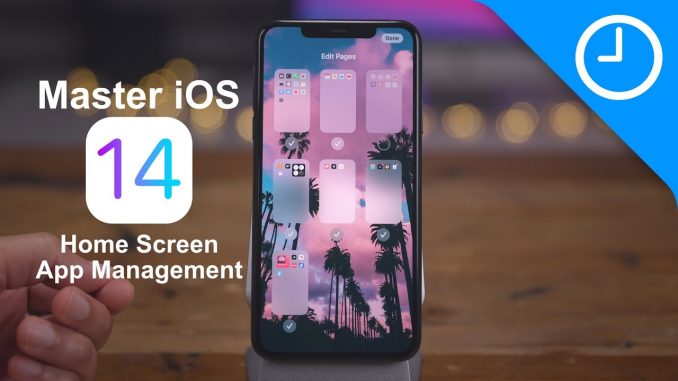
A guide for managing the Home screen in iOS 14. Wallpaper app linked below.
→ SUBSCRIBE FOR MORE VIDEOS:
DETAILED VIDEO SYNOPSIS:
—————————————————-
A step by step guide for managing the Home screen app layout in iOS 14. Perfect for beginners, but enough for seasoned users as well. In this tutorial I show how to use the new App Library, how to edit and hide Home screen pages, How to delete and hide apps, how to bulk move apps, bulk remove apps, and more.
RELATED LINKS:
—————————————————-
Wallpaper app:
Visit for more
ACKNOWLEDGEMENTS:
—————————————————–
FTC: We use income earning auto affiliate links:
FCPX plugins by MotionVFX:
Music by Soundstripe:
Add captions to your videos with Rev, get $10 off now:
SUBSCRIBE FOR MORE VIDEOS:
—————————————————-
By clicking subscribe, you'll be able to see our new videos when they go live. If you click the bell icon, you'll be notified when new videos are uploaded. Also, don't forget to click the 'LIKE' button in order to vouch for the quality of the video. This helps expose our content to other potential viewers helping us to grow the channel and thus lets us produce more videos. Thank you very much for taking the time out of your day to watch.
GEAR I USE TO MAKE VIDEOS:
—————————————————–
Computer: iMac (2019):
Camera: Canon EOS-R:
Lens: EF 24-70mm f/2.8L II USM Lens:
Audio interface: Sound Devices MixPre-3 II:
Microphone: Shure SM7B:
PODCASTS:
—————————————————–
Happy Hour:
Daily:
Watch Time:
Stacktrace:
Apple @ Work:
FOLLOW:
—————————————————–
TIMESTAMPS:
—————————————————-
0:00 Introduction
0:15 Quickly cycle between Home Screen pages
0:53 How to use the Dock to your advantage
1:53 How to enter jiggle mode
2:35 How to exit jiggle mode
2:58 How to move an app or folder
3:21 How to delete an app
4:02 How to view the App Library
5:50 How to move an app to the App Library
7:15 How to download apps directly to App Library
8:15 How to search all apps installed on your iPhone
9:09 How to show all apps alphabetically
9:36 How to move apps from App Library to Home Screen
9:58 'x' versus '-' when removing apps
10:35 How to show badges in App Library
11:17 How to edit Home screen pages
12:40 How to perform quick actions on apps
13:23 How to share an app
13:51 How to create a folder
14:40 How to rename a folder
15:06 How to move multiple apps
15:57 How to move multiple apps into a folder
16:37 How to move multiple apps to the App Library
17:15 How to invoke Siri suggestions via Spotlight
17:53 How to use the Siri Suggestions widget
18:47 How to reset the Home Screen
HASHTAGS:
—————————————————–
#ios14 #iphone #ios

Still processing for 8K… sorry to those with 8K TVs for the delay 🙁
8k? I’m watching in 720p in a 700$ iPhone 🙁
HAHA
please share the iphone wallpaper 😀
It can be found in this app: https://apps.apple.com/us/app/wallpapers-true-4k-full-hd/id1348676585
Nothing new in the content, but I just can’t stop listening because of the background music and the soothing voice!! Haha It’s like mindfullness
Nothing that I didn’t know yet, but still a great video!
8k finally! Please do all your videos from now on in 8k60 HDR!
When you removed (not delete) an app on the home screen or download to app library, is there a way to see in the app library if it’s only on the app library and not in home screen?
looks crisp AF in 8k…
For me the App Library is completely useless.
I hope Apple will bring in a future update the possibility to delete the App Library
Me too.
I rarely use the App Library. I have my home screen all nice and clean.
thanks! I didn’t; know the 1/2 of that. Brilliant
Please make one showing how to arrange/stack widgets without making your homescreen layout explode
Needed!! Thanks
The best videos, as always!