

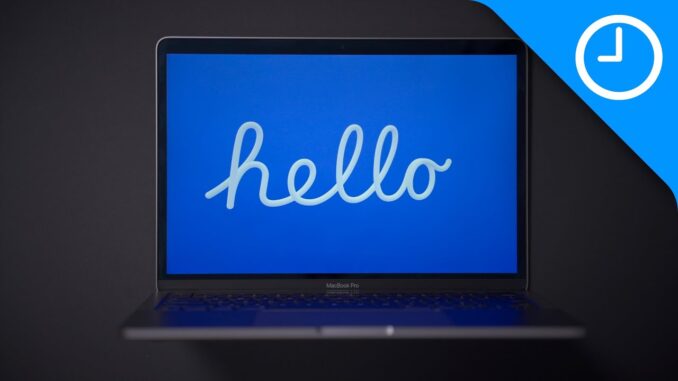
Walkthrough of the new macOS 11.3 RC "Hello" screen saver, including how to enable it on other Macs running macOS 11.3 RC.
Requires a Mac running macOS 11.3 or higher. Works on both M1 and Intel Macs.
FTC: We use income earning auto affiliate links:
FOLLOW:
—————————————————–
TIMESTAMPS:
—————————————————-
0:00 Introduction
0:35 How to install the "Hello" screen saver
2:13 Hello screen saver preview
2:52 Spectrum theme
3:35 Disable other languages
4:27 Disable match system appearance
5:17 Dark Mode wallpapers
5:40 Minimal theme
6:44 Soft Tones theme
7:33 All themes
HASHTAGS:
—————————————————–
#m1mac #Mac #imac

So I can’t install it on my 2018 MBP ?
You can
Any way to download this screensaver for us non-M1 folk?
Good question, would like to know this too.
I can’t imagine Apple would restrict this nice screensaver only to M1 macs running Big Sur.
You can
@Doron Algam Lovely, thx !!
yup, that‘s Croatian 🙂
Work like a charm on MacOS without M1 chip too, just follow the guide and done:)
I love the Yellow iMac and I love the screen saver to say hello only in english I don’t like it match the appearance (dark or light) and I like it on soft tone!
Probably macOS 11.3 will come out at 4/30/21 when you can order the iMac!
Thank you ! 🙂
Can you upload the screensaver to the article on 9to5mac.com?
Yeah! Thats what i wanted to say!
Yeah I too wanted to tell that
This also worked on my 2020 Intel MacBook Pro – M1 isn’t required
That’s neat, great info, thx !!
Can you please share a download link?
Yep
Great vid, as you always make, THX !!
Is it possible to get the screensaver in the Apple Store’s macs?
This file isn’t on my M1 Mac Mini running this version of MacOS for some reason. Anyone got a copy of it to share?
What a laptop orientation and position!
Yep and it’s particularly disturbing….
why don’t you use a bluetooth keyboard though? Wouldn’t it be easier?
Anyways thank for the video 🙂