

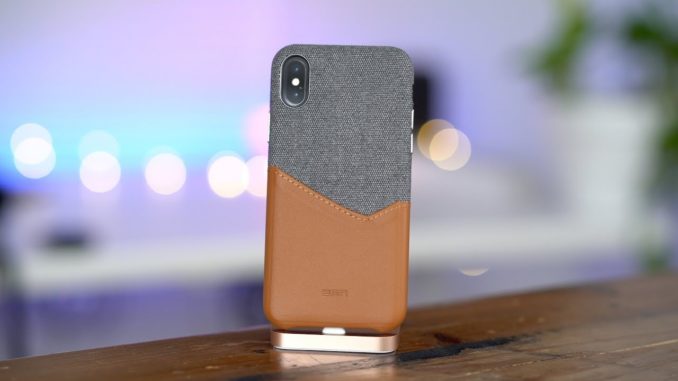
iPhone X, iPhone XS, iPhone XS Max, and iPhone XR: How to force restart, reboot, enter recovery mode, DFU mode, and more. Full tutorial here:
WATCH MORE VIDS… 👀
iOS 12.2 Beta 2 Changes and Features
Apple Watch Series 4 Top Features
iOS 12.1 Beta 1 Changes and Features
Top macOS Mojave Features
Top 20+ iPhone XS and XS Max Features
Download iPhone XR & iPhone XS Wallpapers!
Elgato Thunderbolt 3 Mini Dock
Review: Logitech Crayon
Review: OWC Express SSD Enclosure
Review: Samsung X5 Portable SSD
Are Longer Thunderbolt 3 cables slower?
Huawei MateBook X Pro – Should Apple Fans be Jealous?
Review: Akitio Thunder3 Dock Pro with 10GbE
Review: TwelveSouth's AirSnap leather case for AirPods
Review: CalDigit Mini Thunderbolt 3 Dock
DUAL WX 9100 eGPUS!
iPhone X – Best iPhone Ever!
Best iPhone X Fast Chargers – Save $$$
Wireless Qi chargers – Save $$$
Review: Lacie Rugged RAID Pro
Review: SanDisk Extreme Portable SSD
Review: 2018 MacBook Pro
My 🎥🎙gear:
– Sony A7 III:
– Sony FE 16-35mm f/2.8 GM:
– Sony FE 85mm f/1.4 GM:
– Sony FE 90mm f/2.8 Macro G OSS:
– SmallHD Focus OLED Monitor:
– DJI Ronin-S:
– Sennheiser MKH-416:
– Sennheiser AVX:
– Luxli Timpani:
– Fotodiox 18-inch Flapjack:
– Universal Audio Arrow:
Follow:
FCPX Plugins by MotionVFX:

XR in title is kinda unnecessary as nobody will be buying that LCD is unacceptable in 2018 especially 828p
ChloeWade would I be happy with the Xr no but my mother would love it
Remy 149 uhh on YT most ppl won’t just use auto quality, they’ll crank it up. Facebook is dead after Cambridge analytica
ChloeWade I have gigabit internet and have hit speeds of over 500 mb/s on WiFi with my iPhone X’s Max yet always have to manually change the video quality in the YouTube app
Remy 149 also auto quality never ‘streams below 720p’ for me maybe in a place where the connection is just ridiculously bad
ChloeWade I have gigabit internet and the YouTube app is often streaming below 720 p until I change the setting.
Also volume up followed by volume down then hold power to power off will work and imo that’s a better way bc u don’t have to enter password if u change mind about powering off.
Yeah, but most people aren’t going to remember that. I still find myself looking at this video to find the answer.
The best price is the “POCOPHONE F1” if what you are looking for is “power” (RAM, processor, graphic, software, battery, tactile sensitivity, optimization), decent cameras, FUHD screen, high connectivity, moderately large screen and no In this In the same sense, it is not a more detailed data guide. In all ways, I think it is not mobile, the only requirement that must be met is the adjustment to what you are looking for in it.
Nice, thanks!
I cringe a bit when Jeff pushes the iPhone to the side a bit on the dock
what camera you are using for this video, thanks.
Very useful info!
You mention connecting to a laptop, many of us do not have a laptop. When my 2010 MBP died I went fully to iPad. What is the process for iPad only users?
Ric Donato not possible
Before doing this, I’d suggest (if you can) to physically back up the phone with iTunes to the computer and also to iCloud.
Interesting how they changed that button combination thing.
I have an iPhone 7+ so this is very useful for me since I’ll be upgrading to either iPhone Xs or iPhone Xs Max eventually.
you forgot the most important thing. how do you empty the cash?
For those using iPhones pre-Face ID, how do you do that to disable Touch ID?
With my iPhone 6, I can do a “soft reset” by pressing the power on/off key as if I am powering off and then once the “Slide to power…” screen appears, holding down the home button. This will essentially erase memory without doing a complete restart. Is there equivalent on iPhone X/S/R?
alliejr yes, but you have to enable assistive touch to press the homebutton there…
Like !
Helpfull information… i like it #msharifvlogs 🙂