

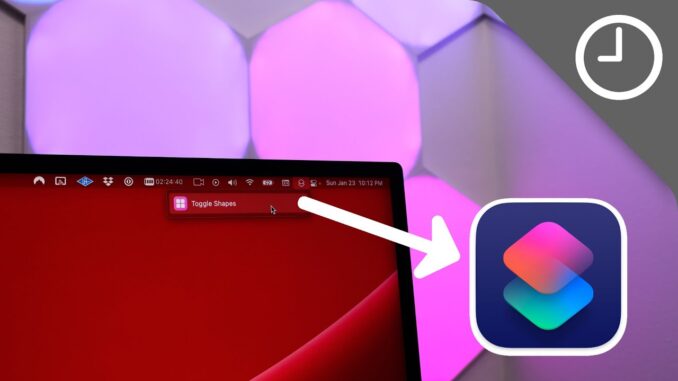
The Launchpad 🚀 daily 🍏 videos in less than 60 seconds. Today I discuss adding shortcuts to the menu bar in macOS.
Subscribe: 🔔
Comment: 📝 Do you plan on using this handy Mac tip?
Follow: ✅
For more Mac tips, watch our 30+ Getting Started Tips for new Mac users:
Watch more Launchpad episodes!
Improve your Mac's TAB key:
5 handy iOS Safari Gestures:
Quote a specific portion of email on reply:
The best iPad stand:
iPadOS multi-window App Switcher tip:
HASHTAGS:
—————————————————–
#mac #macOS #shortcuts
https://www.youtube.com/watch?v=WgGKHO999qY


How do I get rid of the menu bar item when running any other shortcut? I don’t have any shortcuts pinned, but it still adds a menu bar item that can’t be deleted
Hold the command key, and drag the shortcut icon from the menu bar away, hold it on your wallpaper for like 2 secs, then leave it
@iTech Everything Doesn’t work sadly. It works on everything else basically, but the shortcut icon always flies back to the menu bar
@ThinkCleverAndSmart ah :/
Try doing it from settings maybe?
No clue what shapes might be…
I have no idea what you just said or how to apply it to my Mac, LOL! This must be some sort of expert level tip!
Please make a separate channel for YT shorts. They look so stupid on my Apple TV.
Great tip! Thanks Jeff!
Monterey on MacBookPro 2017 is too slow.. frame rate drops from 60hz to 40hz.. do you have any solution for this?
I would Like To Know How Did You Record The Screen With Zoom In And Tracking Mouse Movements Especially For Youtube Shorts ?
Please Reply 🙂