

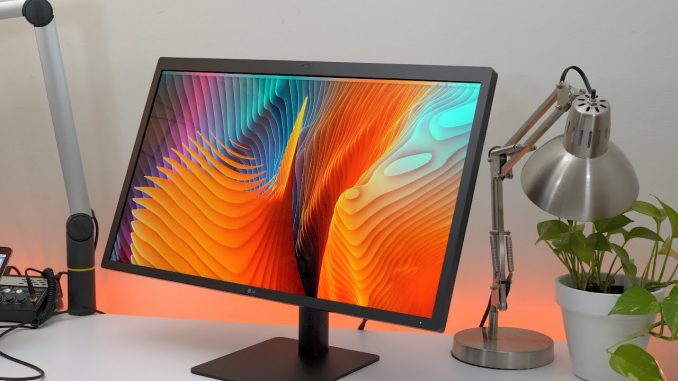
The Akitio Node is an external graphics enclosure that houses a full-sized double width GPU. I've paired it with an RX 480, and tested it in macOS 10.12.2 with the 2016 MacBook Pro. I used Final Cut Pro X, played games, and ran several benchmarks. Does an eGPU make a real difference? Read more:
Akitio Node on BandH (backordered):
Sapphire RX 480:
Subscribe ►
Support us on Amazon ►
Social Media
Other Channels



I enjoy these longer videos. Hope that isn’t a bad thing.
Only if your boss agrees.
Where did you get the frame count at the bottom for the game?
fraps or steams built in fps counter probably
It’s interesting to see this working under macOS, but it’s not worth the
investment when Apple could possibly break compatibility with the next
update. If you want to game, the best solution is to go build a PC, but I
don’t have to say that twice. I love my Macs, but I recognize that it’s not
a gaming platform, and probably never will be if Apple keeps up with these
last gen mobile GPUs when NVIDIA is shipping Pascal desktop class GPUs in
gaming laptops. Stuff like this is cool, but it’s foolish to try and turn
the Mac into something it’s not when there are way better options for less
money…
It’s not working under MacOs… MacOs doesn’t support eGPU as of right now.
He used bootcamp to be able to use the eGPU under windows.
+Lorem Ipsum Did you not watch the whole video? He used a script in
Terminal to allow it to work under macOS…
The Nvidia cards can be supported, you just need to download drivers…
of which they do not exist. Far as I know there is no Pascal support in
Sierra
Emmett Orem nope non at all
that would be BOOMSHAKALAKA for my hackintosh setup 😀 sadly no drivers yet
Can it work with a Thunderbolt 3 to 2 adapter? I realised the speeds will
be reduced, I just want to know if it’s possible?
Ivo Sotirov you can just use the tb2 box
+Luis A. well yes of course, but if the productivity is similar, is it not
better to invest in the tb3 solution for future compatibility?
It works if you use Apples TB3 to TB2 adapter. Tested on this and the Razer
Core. Check out eGPU.io for more info.
FYI to all people with the 15 inch MacBook Pro it doesn’t work with Mac OS
but will work with windows
PKTV that kind of sucks. Wish it’d work on Mac OS X
Any information why it doesn’t work with the 15 inch ones?
It works for 15″ models too, with and without dGPU, just check egpu forums
for some knowledge.
Great video; really useful. What I’d really be interested in knowing is how
that eGPU setup compares to a 2016 MBP 15″ with the Radeon Pro 460 graphics
card included.
Likely blows it away. Assuming the card is running at the same speed it
does on the desktop, the 460 in the macbook is far weaker than the desktop
460, which in turn is weaker than the desktop 470, and the 480 in this
video. Unfortunately the 460 pro is a mid-low end card, esp when compared
to the Dell XPS, Surface pro and Razer Blade. It does have extra shaders
for pro use or something, but I doubt they would make too much of a
difference all up and benchmarks seem to confirm this.
But we know you don’t get desktop speeds, 80 to 90%.
3-5x or more
Excellent review, I appreciate that you took the time to show exactly how
to open and install the card into the Node. If I owned a Mac, I would
definitely invest in an eGPU setup. Lack of powerful graphics has always
been Apple’s Achilles Heel in the computer market.
You’d have quite an investment to make. Oh well, if you afford the
MacBooks, then of course an eGPU is nothing cash-wise…
Can’t you use only the internal display?
not with the egpu according to the video
you can but you will get another 10% drop in preformance
There is a work around to use the internal display.
https://egpu.io/how-to-egpu-accelerated-internal-display-macos/
Question: Can’t you just mirror the displays, but then only project to the
second screen (Macbook Pro)? Thus only gaming on your internal display?
Well it would just take up more Thunderbolt 3 bandwidth and would affect
performance
the way is done and the fact that is only for external display, this
doesn’t seem like the future
Too much troubles definitely not worth it. I will wait for TB4
dolan_trump for what?
so the setup has just 1 thunderbolt 3 port so it cannot be used for
daisychaining other devices. Just act as the last node.
but nevermind, we’ll get there eventually
You probably don’t wanna share the bandwidth with other devices on the same
port. But you can still daisychain other t3 ports
How would this work with a gtx 1080?
Does not work unless you use Windows (Eg. in Bootcamp)
Thats what I meant, a lot of people say that it is not compatible in
bootcamp
If it works in bootcamp windows, I am fine with it. It is not like I am
gonna play games in macos anyway…
What do you think the best chassis and gpu combination is for the new
MacBook Pro for video editing?
You said your current setup does not support hardware acceleration for
FCPX. What type of setup would?
19:04 i see major microlag
Probably the screen recording software more than anything.
maybe
Paying $2000-$3000 for a macbook pro and then $500-$1000 for an external
GPU & GPU. You’d be better off just buying a dedicated gaming pc for around
$1000 with a gtx 1070. Also another issue is storage size. You better have
at least 500gb ssd on the mac to have a windows partition. Also will
thunderbolt 3 drives be fast enough to store games on an external drive?
This is cool tech though, but there are definitely better alternatives.
yeah ofc, but people buying this probably won’t be gaming, they are
probably using the GPU for acceleration in FCPX or other professional
applications 🙂
and yes, thunderbolt 3 is fast enough to store games on an external drive,
even usb3 is, you just have to make sure that the drive on the other end is
capable enough (brand name 3.5″ 1 TB HDD or better)
Now why the *hell* would you only compare this to the *shitty, non-discrete*
Intel graphics??!
Hexmos lol the burn
LOL… the douchey little suck-up punks coming’ out of the woodwork! Little
meaningless blowhards that think *THAT* was a “burn”… ROTFL! Pathetic.
+DaShnizify i think your too quick to want to insult people. Not even i
would insult you for no reason. Geez
+DaShnizify poor poor guy upvoting his own comments…
Does this unit work with standard windows laptops with thunderbolt3? Or is
this only for the MacBook series?