


Subscribe now ► – Hands-on with over 30 new changes and features for iOS 13 beta 3 and iPadOS 13 beta 3. Updates include the following:
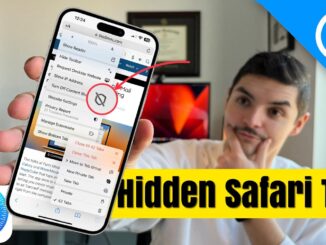
– Long press browser tab to open context menu
-Split View active window indicator
-Redesigned action buttons on iPadOS 13 keyboard
-Full page screenshots outside of Safari
-Quick Action shortcuts for Safari, Mail, etc. work on iPadOS
-New opacity option for iOS 13 markup toolset
-Mouse cursor on iPadOS 13 beta 3 can be configured to be smaller
-Battery glyph for AirPods 2nd gen now has LED on front of the case
-Toggle Noise Cancellation for Beats Studio 3 via Control Center
-Search boxes are black (bug?)
-New 'x' button (see voice memos)
-New audio playback background in Files app
-Dictation button on keyboard has a higher microphone position
-Notes app Splash Screen
-Update Notes folder layout
-Notes sort down arrow
-New action menu colors for Mail: Flag, Archive
-Curated Library details in Photos app
-Updated glyphs and rearranged colors in Reminders list settings
-Add a URL in Reminder details moved to top
-New 'Me' tab in Find My app, relocated from upper-right
-Updated Arcade tab preview in App Store app
-'Select Messages' renamed to 'Manage Messages List'
-Slightly modified Memoji sticker angry and sad faces
-Gray bar separates black bar in Messages apps
-FaceTime Attention Correction
-New Motion & Fitness icon in Settings → Privacy
-Cellular settings now show VoLTE
-Subscriptions link moved higher on Apple ID page
-Health → Headphone Audio Levels bullets and copy new
-Shortcuts: New apps view
-Shortcuts: Hand Off Playback action
-Shortcuts: Suggested Automations
-Emergency contacts distinguished in Contacts app
-Volume bar fix in Music app
-Portrait and Portrait Selfie Quick Action placeholder glyphs
WATCH MORE VIDS… 👀
How to create a bootable macOS Catalina USB Install drive
Top macOS Catalina features!
New iOS 13 BETA 2 features / changes!
The BEST iOS 13 and iPadOS 13 features!
50+ NEW iPadOS 13 features / changes for iPad!
200+ NEW iOS 13 features / changes for iPhone!
iPhone 11 cases:
Review: 2019 iPod touch 7th-generation
Review: 2019 MacBook Pro
Review: 23.7-inch LG UltraFine Display!
Review: Synology MR2200ac mesh router
Review: 2019 5K iMac
Review: Powerbeats Pro
Review: Arlo Ultra 4K wireless security camera
Review: $399 Razer Core X Chroma eGPU
How to build a Thunderbolt 3 dual 4K ProRes video capture box with Sonnet x Blackmagic hardware!
Review: Wireless Charging Case for AirPods
Which iPad Should You Buy? iPad 6, iPad mini 5, iPad Air 3, or iPad Pro?
Review: Logitech Slim Folio Pro
Review: Elgato Thunderbolt 3 Pro Dock
How to: 27-inch 5K iMac (2019) 128GB RAM Upgrade – Save $$$!
Review: iPad Air 3
AirPower is DEAD. Apple cancels its wireless charging mat!
iOS 12.3 beta 1 changes / features – redesigned TV app!
Review: AirPods 2
My 🎥🎙🖥gear:
– Sony A7 III:
– Sony FE 16-35mm f/2.8 GM:
– Sony FE 85mm f/1.4 GM:
– Sony FE 90mm f/2.8 Macro G OSS:
– Sony RX100 VA:
– Atomos Ninja V:
– Sennheiser MKH-416:
– Audio Technica ATH-M50x:
– Universal Audio Arrow:
– Fotodiox 18-inch Flapjack:
– iMac Pro:
– MacBook Air:
– iPad Pro:
Follow:
FCPX Plugins by MotionVFX:
##########################
Affiliate Disclosure:
##########################
Note: Some of the links used in the description will direct you to Amazon. As an Amazon Associate, we earn revenue from qualifying purchases at no additional cost to you.


Thanks for the new video my friend
Yeah
Great video but why don’t you keep on screen which iOS version is respectively? It can get confusing to follow along.
also can a label be added for which OS runs on which device?
@Malcolm Williams no @CD has a point… you’re literally saying that it’s fine to drive on the left even though everyone drives on the right
@John Carey I think you need to re-read what I said. I was agreeing (hence also) and making a potential suggestion to add a label for previous iOS version versus current beta so the confusion is minimized.
Not sure what you’re on about
Old stuff always goes on the left and new stuff on the right. This is standard because people read left to right in the U.S. Putting the new stuff on the left is counter to what virtually everyone does in making videos.
Star Nerdy i agree. EAP made the same mistake and it’s confusing as hell
So I am not the only one who is bothered by this
Alexander ABC nope, we are used to many specific ways of doing, seeing, and thinking about things
But he mentions beta 3 ahead of beta 2 in the video, so the placement of the phones are actually correct. You said it yourself: people read from left to right. That’s precisely why the phone with the new iOS beta is on the left.
@Baby Magnum / alright, understand that but how about just leaving a title the whole time there, which version is where. Would end this discussion and help us all 😀
Can’t wait for the long press and haptic touch menus. I missed having 3D Touch menus when I moved to the XR from my iPhone 7.
Optimized battery charging works now?
I wish the iPhone got the ‘close other tabs’ feature
finally, split view can tell which window is active, after all these years.
I still can’t see which language would come out before I type anything with smartkeyboard.
Well this time EAP was quicker, but lemme check out the video nonetheless
Thanks for the video!
I really appreciate these videos Jeff. No offense to DetroitBORG but Jeff is definitely the new DetroitBORG! Such detail and therapeutic calmness.
On serious note please reply me that if I connect a android phone through usb c then can I able to send my files from iPad pro to android phones like songs, images etc.
Anyone try using the mouse feature with Remote Desktop (e.g., Windows) and/or iOS Excel?
Happy to hear the cursor can now be adjusted to be smaller!
it’s still a shame you can’t adjust opacity for select portion (s) of the screenshot
How do I make my Led alerts for my xs max work for my notifications the blinking doesn’t work
Nice video. Will I be able to move from ios 13 beta to ios 13 final release seamlessly, possibly by just updating without losing data? If yes, what do I need to do?
CarPlay has been killed for me with this beta update.